
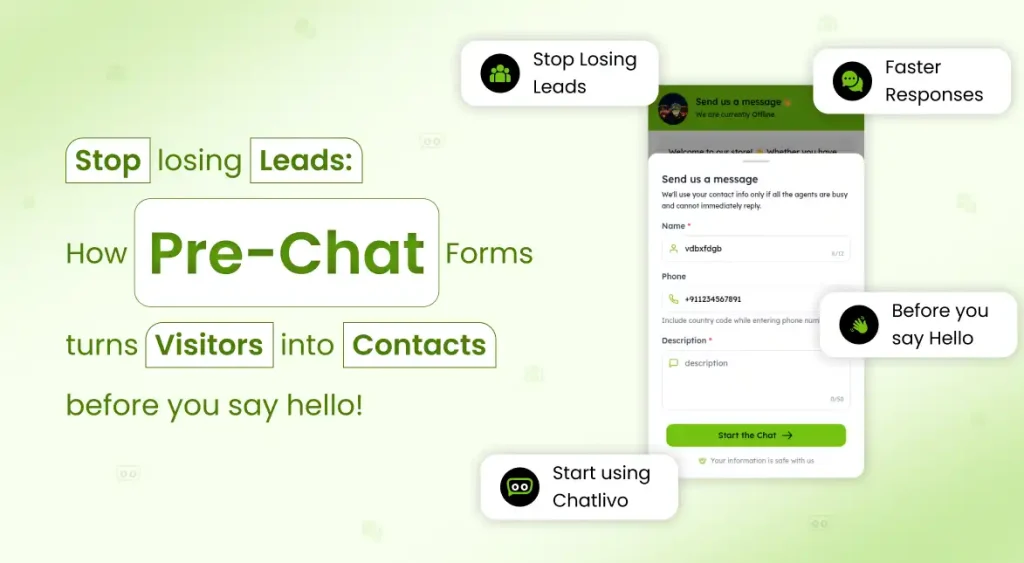
“97% of website visitors leave without buying anything. Most leave without saying a word. A pre-chat form is the only tool that captures who they were — before they disappear.”
Live chat lead generation starts with one simple goal — never losing a visitor who was ready to talk. Here’s a scenario that plays out on thousands of websites every single day. A potential customer lands on your pricing page at 11 PM. They read everything carefully. They have one important question. They click the chat button, see that nobody is online, and close the tab.
You never knew they were there. You never got their name, their number, nothing. That lead — someone who was actively trying to reach you — is gone forever.
A pre-chat form changes that equation entirely. It’s the simplest upgrade to your live chat lead generation strategy — capturing contact details before a conversation even starts, so whether your team is online or offline, every visitor who clicks the chat button becomes a contactable lead. Let’s dig into exactly how they work, what to put in them, and how to set one up free using Chatlivo .
of website visitors leave without converting on the first visit
more likely to convert when followed up within 5 minutes
of leads who enquire today will buy from someone within 3 months
What Exactly Is a Pre-Chat Form
A pre-chat form is a short form that appears inside your live chat widget the moment a visitor clicks the chat button — before they can type their first message. Think of it as a lead form for your website that lives inside the chat bubble itself. It typically asks for a name, email address, and optionally a phone number or a custom question like “What can we help you with?”
The form takes about 20 seconds to fill in. But what it gives your business is invaluable: a complete contact record for every single person who expressed enough interest to click your chat button — regardless of whether a live conversation ever happened. It’s the most passive, always-on way to capture leads from your website without adding any friction to the browsing experience.
Visitor arrives at 11 PM. Clicks chat. Sees “We’re offline.” Closes tab. You have zero data about who visited or what they needed. Revenue opportunity: lost.
Visitor arrives at 11 PM. Clicks chat. Fills in name + email in 20 seconds. Leaves. Next morning, your team calls them back. Deal closed before noon. Revenue opportunity: captured.
How Pre-Chat Forms Work Inside Chatlivo
When a visitor clicks the Chatlivo chat widget for website on your page, one of two things can happen — depending on how you configure it:
- If agents are online: The pre-chat form appears first, collects the visitor’s details, and then opens the chat window so the conversation can begin with full context about who they are.
- If all agents are offline:The form appears with an offline message, collects the visitor’s details, and saves them as a lead in your Chatlivo inbox — ready for your team to follow up when they’re back online
Every submission is stored in your Chatlivo dashboard as a conversation with full contact details attached. This makes website lead capture completely automatic — no manual effort, no missed visitors. You can view leads, assign them to agents, tag them by topic, and reach out via the visitor’s preferred channel — email, phone, or WhatsApp.
What a Pre-Chat Form Actually Looks Like
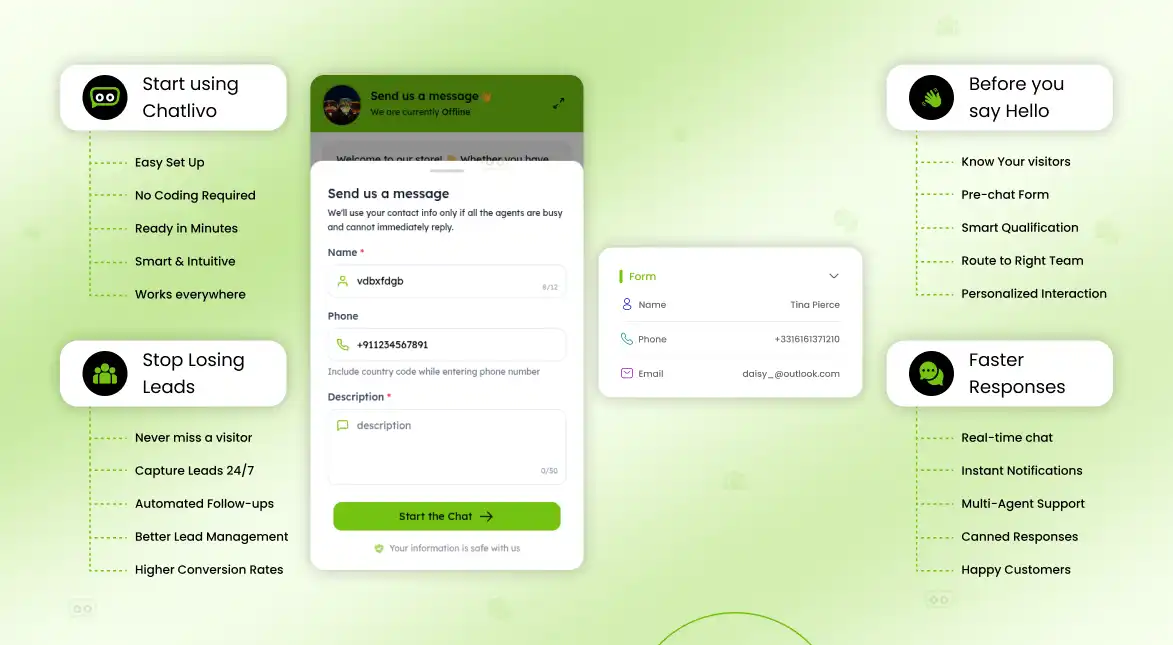
Here’s exactly what a visitor sees when they click your Chatlivo chat widget with a pre-chat form enabled:
Use Automation Smartly
Automate repetitive tasks so your human agents can focus on complex, high-touch support issues.
Name
Personalises the conversation. Agents can greet visitors by name immediately.
Email Address
Your primary follow-up channel. Always mark as required — it’s the minimum you need to re-contact a visitor.
Phone Number
Enables WhatsApp and call follow-up. Make it optional — requiring it reduces completions significantly.
Topic / Department
A dropdown like “Sales / Support / Billing” routes conversations to the right agent automatically.
Company Name
Useful for B2B businesses that need to qualify leads by company size or type.
Custom Question
“What’s your order number?” or “Which product are you interested in?” — tailor to your business.
How to Set Up Your Pre-Chat Form in Chatlivo — 6 Steps
Setting up a pre-chat lead form in Chatlivo takes about 5 minutes. Whether you need it for offline lead capture during after-hours or for qualifying every visitor before a live chat starts, here’s exactly how to do it:
Don’t have an account yet? Sign up free at chatlivo.com/signup — no credit card needed, dashboard is live in 60 seconds.
Go to Settings → Widget → Pre-Chat Form. You’ll see the form configuration panel with all available options.
Enable the form using the toggle switch. Then choose when it appears: Always (every visitor sees it before chatting) or Offline only (only shows when all agents are unavailable). For most businesses, “Always” delivers the best lead capture volume.
Choose which fields to show from the available list. For each field, set it as Required or Optional. At minimum, require Email so you can always follow up. Drag fields to reorder them.
This is the message visitors see at the top of the form. Make it warm and set expectations. For example: “We’re away right now — leave your details and we’ll reply within 2 hours.” A human message dramatically increases form completions.
Hit Save, then open your website in a private/incognito window. Click the chat button and confirm the form appears exactly as configured. Submit a test lead and verify it shows up in your Inbox → Leads.
Pre-Chat Form Best Practices: 7 Ways to Maximise Lead Form Completion
Enabling the form is the start. These pre-chat form best practices turn a good form into a lead-generating machine:
1. Write a human greeting, not a system message
“Hi! We’re with a customer right now — leave your name and email and we’ll come back to you personally within 2 hours.” beats “Please fill the form to continue” every time.
2. Make email required, phone optional
Requiring phone number reduces completions by up to 35%. Make it optional. You’ll get more leads overall, and a significant portion will still leave their number voluntarily.
3. Add a privacy micro-note below the form
“We never share your details” below the submit button reduces hesitation, especially for first-time visitors. Chatlivo allows you to add a custom GDPR/privacy note under the form.
4. Follow up within 5 minutes during business hours
Research consistently shows that leads followed up within 5 minutes are 9× more likely to engage than those contacted after 30 minutes. Use Chatlivo’s mobile notifications to act fast.
5. Use tags to segment leads by topic
If your form includes a topic dropdown, create matching tags in Chatlivo. “Pricing”, “Demo”, “Support” tags let you filter and prioritise your follow-up queue without any manual sorting.
6. Place the widget on your highest-intent pages
Your pricing page, product page, and contact page attract visitors closest to a buying decision. These are where pre-chat form completions convert best. Don’t bury the widget on the homepage only.
7. Connect WhatsApp for instant follow-up
If a visitor leaves their phone number, follow up via WhatsApp — not just email. WhatsApp messages have a 98% open rate vs 20% for email. Chatlivo is a free live chat for website tool with built-in WhatsApp integration — making it your fastest lead-to-conversation pipeline without paying for extra software
Pre-Chat Form Do’s and Don’ts
How Pre-Chat Forms Fit Into Your Wider Chatlivo Setup
Pre-chat forms don’t work in isolation — they’re one layer of a complete support and lead generation system. Every live chat lead that comes through starts with a chat widget lead form and flows into a pipeline your team can action immediately. Here’s how all the pieces fit together in Chatlivo:
- Pre-chat form. captures visitor details before the chat begins → creates a lead record automatically
- Live chat widget.handles the real-time conversation while it’s happening → agents see visitor details on screen from the first message
- WhatsApp integration. lets you follow up offline leads on the channel they’re most likely to open → 98% open rate vs 20% for email
- Tags and agent assignment.route each lead to the right person → no leads fall through the cracks in a multi-agent team
- AI automation (coming in Phase 2). will handle lead qualification and follow-up sequences automatically → zero manual effort for your team
The Bottom Line: Every Visitor Who Leaves Is a Lead You Could Have Had
Most websites are leaking leads every single day — not because visitors aren’t interested, but because there’s no system in place to catch them when no one is available. A pre-chat form is that system. It’s always on, it asks for the right details, and it fills your inbox with contactable leads while your team sleeps.
The businesses winning at live chat lead generation aren’t necessarily the ones with the fastest agents — they’re the ones who’ve built a pipeline that never stops collecting. A two-field form, a warm offline message, and a 5-minute follow-up response time is all it takes to turn your website into a 24/7 online lead generation engine.
Frequently Asked Questions
A pre-chat form is a short form that appears inside your chat widget when a visitor clicks the chat button — before they can type their message. It collects contact details (name, email, phone) so you have a lead record even if no live conversation happens.
When kept to 2–3 fields and paired with a warm greeting message, the impact on chat engagement is minimal. Most businesses find the trade-off strongly favourable — a small reduction in chat volume (typically less than 10%) in exchange for capturing contact details from every single visitor who clicks the widget.
Yes. Chatlivo gives you the option to show the pre-chat form only when all agents are offline. This way, online visitors can jump straight into a live conversation, while offline visitors are prompted to leave their details for a follow-up.
Every pre-chat form submission is saved as a conversation in your Chatlivo inbox with the visitor’s contact details attached. You can assign these to agents, tag them by topic, reply directly from the dashboard, and follow up via chat, email, or WhatsApp.
Chatlivo allows you to add a custom privacy notice and consent checkbox to your pre-chat form, which is a requirement under GDPR for businesses serving EU visitors . You can link directly to your Privacy Policy from the form — giving visitors full transparency before they submit their details.